Blob URL
| Block Group: | Browser API |
| Block Icon: | no icon |
Creates a temporary URL that holds a binary object or string. This URL works only while this Blob URL block's parent page is open.
Input/Output Properties
These properties can take input and give output.
- data (binary or string)
- enabled (boolean)
data is the binary object or string. A string is stored as text/plain; binary data (or a list of byte values) is stored as application/octet-binary. Other kinds of values are ignored.
enabled indicates whether this block is currently active.
- TRUE: This block will create a new URL whenever the data property changes.
- FALSE: This block will not create a new URL. This is the default.
When a new URL is created, the previous URL created by this block is revoked and no longer works.
Output Properties
These properties can give output. They cannot take input.
- url (string)
url is the temporary location where the binary object or string is stored and can be accessed.
Model
These are basic uses of the block.
| Dataflow Model | Description |
|---|---|
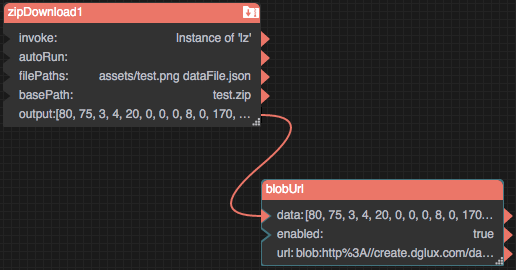 | The Zip Download block creates a binary object. The Blob URL block creates a URL where that object can be accessed. |
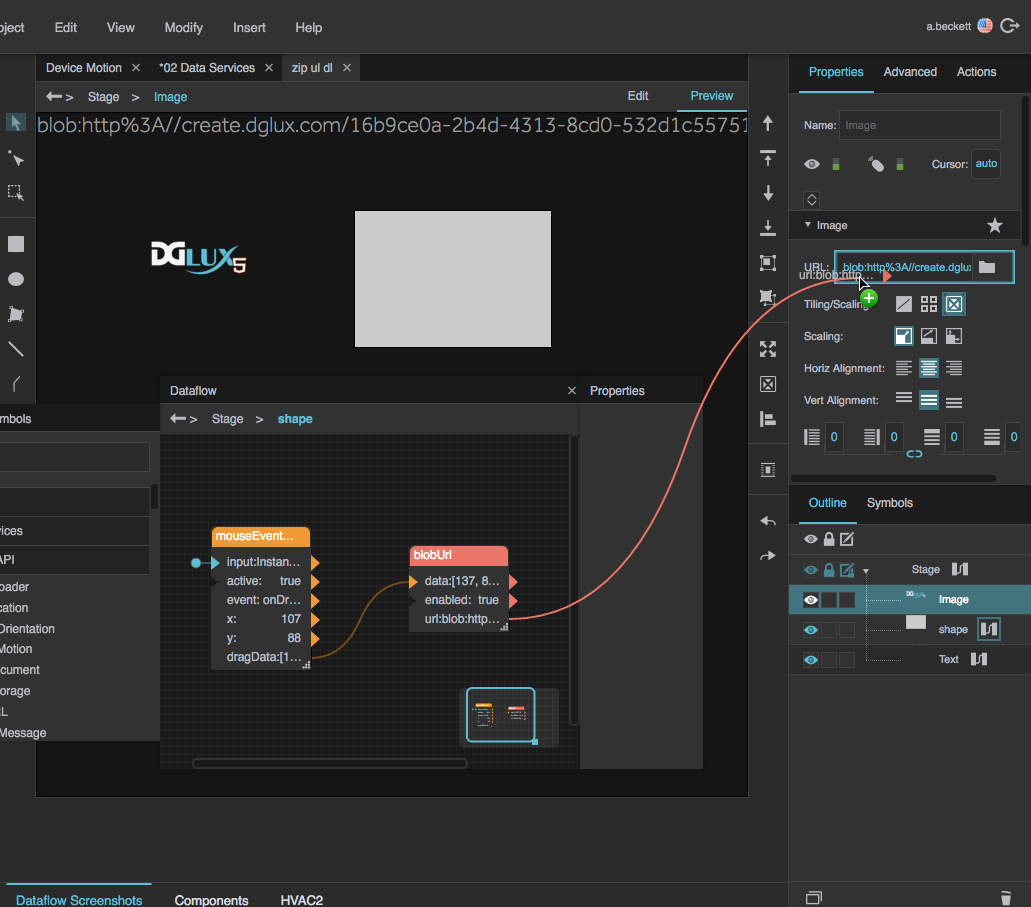 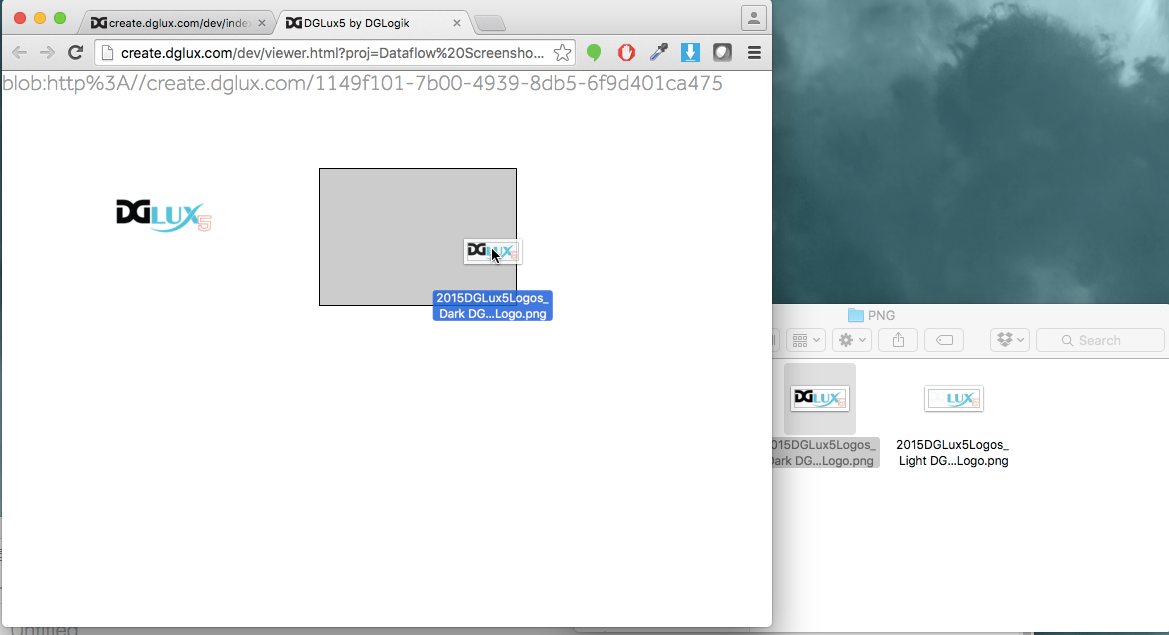 | Dataflow: The Mouse Event block converts a dropped image to binary as described here. Next, the Blob URL block takes that binary object and creates a URL. Finally, the URL is bound to the URL property of an image component. Result: The user drags an image from their file system and drops it on the shape. Then, the user sees the image on the page. |
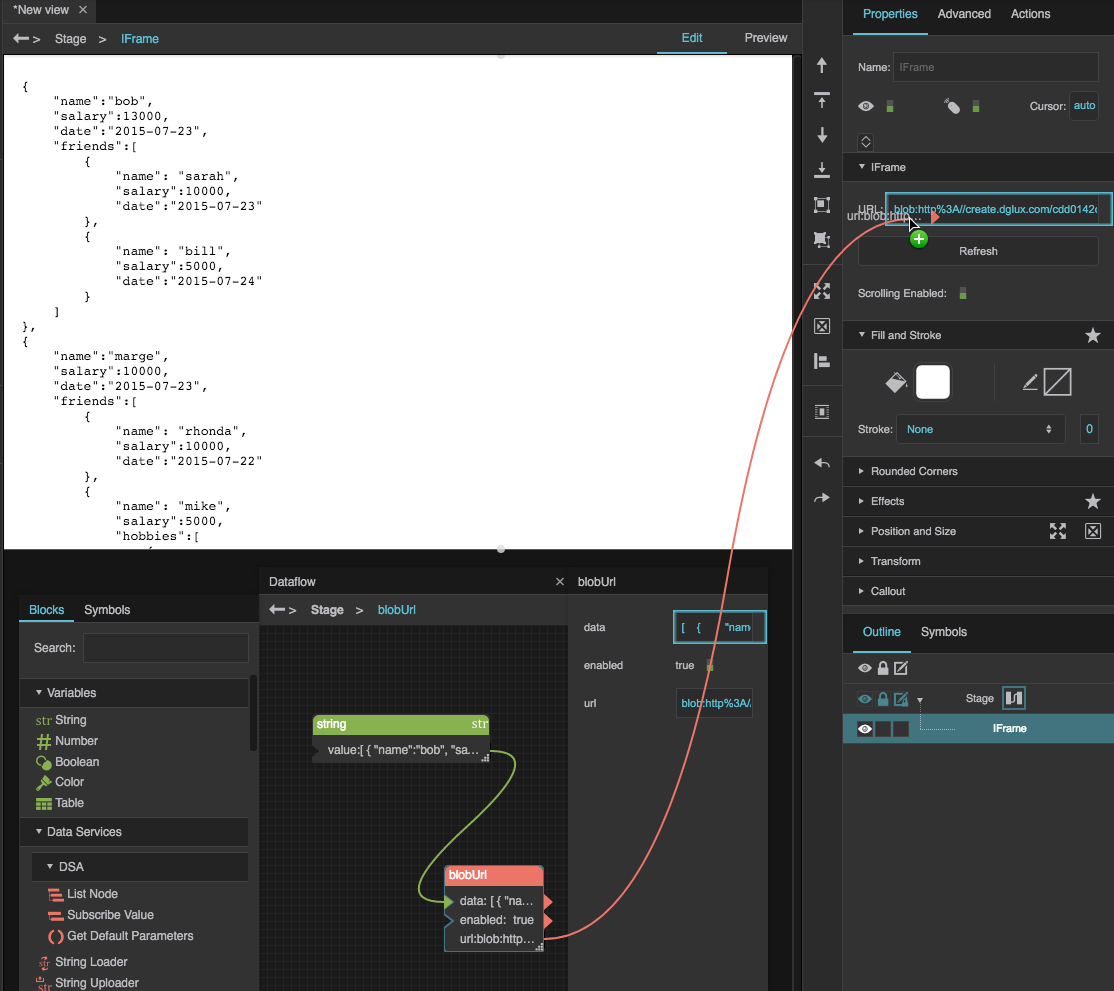 | The JSON string is bound to the data property, and the url property is bound to an IFrame component. The IFrame displays the JSON string. |