Close Warning Dialog
| Block Group: | Browser API |
| Icon: | no icon |
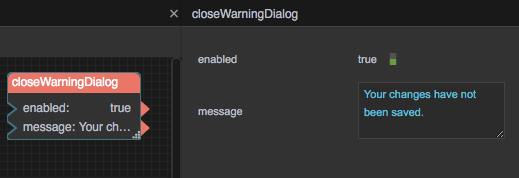
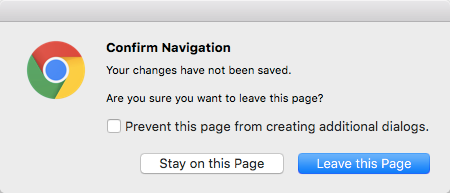
Causes a warning dialog to be displayed when the user tries to close this page. The warning dialog requires the user to confirm whether to close the page or keep the page open. Certain aspects of the warning dialog are determined by the browser and cannot be configured.
Input/Output Properties
These properties can take input and give output.
- enabled (boolean)
- message (string)
enabled determines whether the dialog gets displayed.
- TRUE: The dialog is displayed when the user tries to close this page.
- FALSE: The dialog is not displayed. This is the default.
This block only works in the Viewer. If several Close Warning Dialog blocks are enabled, the message of the most recently created enabled block is used.
message is the message to display in the dialog, if possible. The default is blank. Whether this is possible is determined by the browser. This message appears before, and does not replace, the default text that appears in this dialog.
Model
This is a basic use of the block.
| The presence of the enabled block in the dataflow for this page causes the dialog to be displayed when the user tries to close the tab. |