Localize
| Block Group: | String Operations |
| Icon: | no icon |
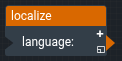
The Localize block returns translated text for the current language. It reads a language file from the project and returns the translation for each custom parameter that you add to the block.
The language file is locales/<language>.json in the project, for example locales/en.json or locales/fr.json. The file contains a JSON object that maps keys to translated text. The object can be nested, for example:
{
  "title": "Building Overview",
  "alarm": {
    "high": "High Alarm",
    "low": "Low Alarm"
  }
}
For information on using dataflow blocks, see Dataflow.
Input/Output Properties
The following property of the Localize block can take input and give output.
- language (string)
language specifies the language code, which is the name of the language file without the .json extension. If language is null, en is used.
Output Properties
- custom parameters (string)
Each custom parameter returns the translation for the key that matches the parameter's name.
- To look up a nested key, separate the levels with colons. For example, a parameter named
alarm:highreturns "High Alarm" from the file above. - If the key is not found, the parameter returns its own name. For a nested key, it returns the last part of the name instead, for example
high. - If the language file cannot be loaded, every parameter behaves as if its key is not found.
Remarks
- To create a custom parameter, click the plus sign in the block.
- To delete a custom parameter, right-click it in the block property inspector (the right-hand panel of the dataflow window), and select Remove Parameter.
- When the language file changes in the project, the block reloads it and updates its outputs.