The Viewer
The Viewer displays your DGLux5 project.
Open the Viewer
To open the viewer from within DGLux5:
- Open the
.dg5file that you want to display in the Viewer. Right-click Preview and select Open Viewer Link.

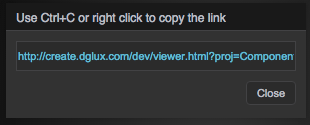
Copy the Viewer Link
To copy the viewer link:
- Open the
.dg5file that you want to display in the Viewer. - Right-click Preview and select Copy Viewer Link.
Copy the text in the pop-up.