DG Time Input
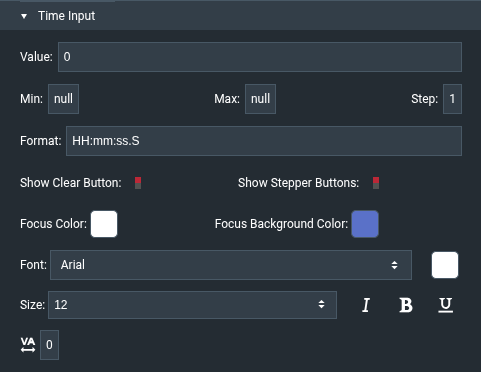
The DG Time Input component allows the user to enter a time of day. Unlike the other form input components, it is not a native HTML5 input: it is made of separate hour, minute, second, millisecond, and AM/PM fields, so it looks the same in every browser.
The Value of this component is a number of milliseconds since midnight (for example, 3600000 is 01:00). Min, Max, and Step are also in milliseconds. A value can't exceed 24 hours.
To use this component, first you insert it by selecting Insert > Form > DG Time Input. Then, you configure style and behavior using properties.
For more information about using input components, see Designing Input Components.
For a detailed reference of properties that affect input components, see Common Properties and Input Component Properties.
Note
The Format property controls which fields are shown. For example, HH:mm shows hours (0-23) and minutes, hh:mm a shows 12-hour time with an AM/PM selector, and the default HH:mm:ss.S also shows seconds and milliseconds.