dglux5_wiki:widgets_and_property_inspector:property_inspector:charts:datatips

Action unknown: siteexport_addpage

Datatips Properties

These properties affect the chart datatips. Datatips appear when the user mouses over data points.

For a guide to using charts, see Designing Charts.
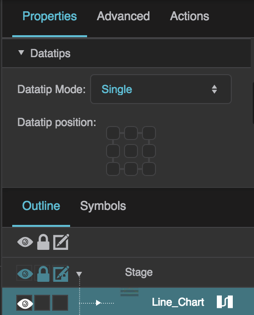
Datatips properties
The Datatips properties in the Property Inspector
Datatip Mode

Datatip Mode

Datatip Mode
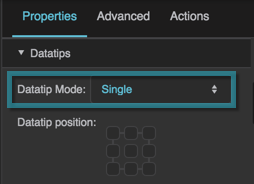
Defines datatip behavior.

None
No datatips are displayed.

Single
When the user mouses over a data point, a datatip is displayed. Only one datatip is displayed at a time.

Multiple
When the user mouses over a data point, a datatip is displayed. If points from multiple series exist at the moused-over position, multiple datatips are displayed. Only one datatip is displayed per series.

Default is Single.

The Datatip Mode property

Datatip Position

Datatip Position

Datatip Position
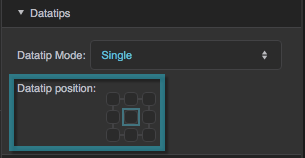
Specifies where datatips appear, relative to data points. Selecting the top left square of the gadget dictates that datatips appear above and to the left of data points.

The Datatip Position property

Show Crosshair

Show Crosshair

Show Crosshair
If enabled, a crosshair follows the mouse over the plot area and shows the axis values at the mouse position. Default is FALSE. When enabled, the Crosshair Number Format property is shown.

Crosshair Number Format

Crosshair Number Format

Crosshair Number Format
The number format used for the values shown by the crosshair. Default is ,###.##. For number formatting help, see Scripting and Syntax.

  • dglux5_wiki/widgets_and_property_inspector/property_inspector/charts/datatips.txt
  • Last modified: 2026/10/22 16:26
  • by 127.0.0.1